
Live property dashboard
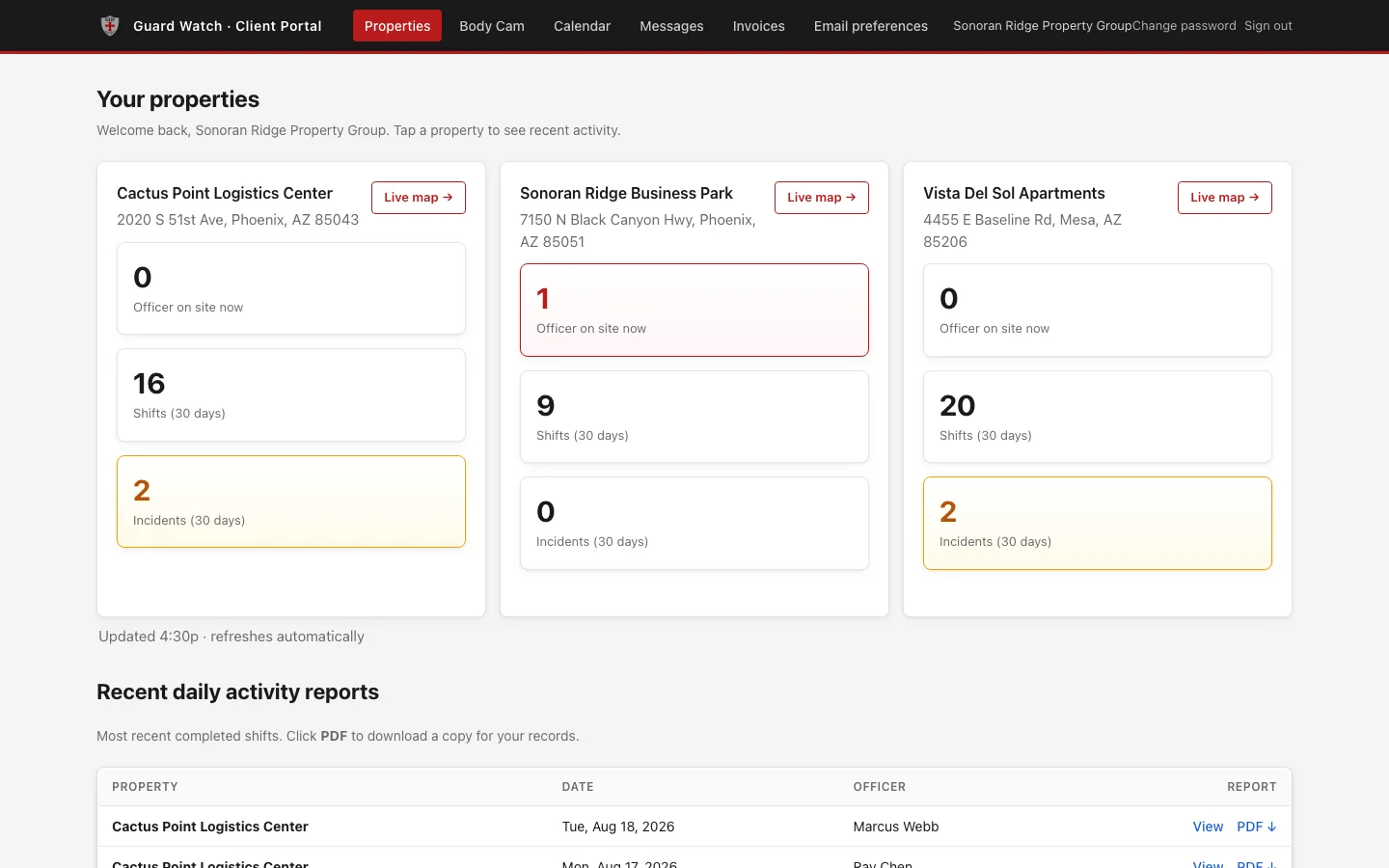
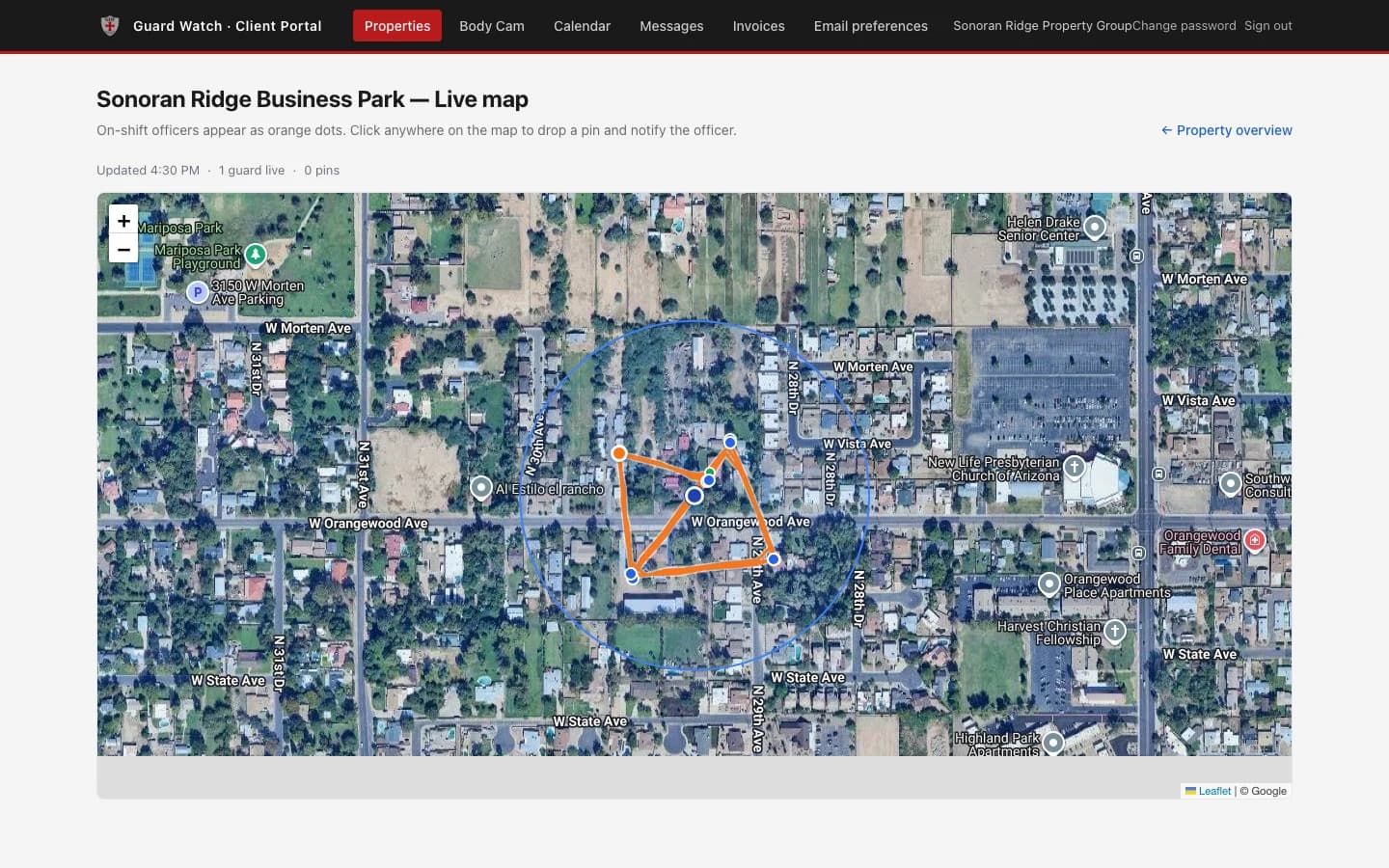
Watch your guards on a live map, see who is on shift right now, and review recent activity at every property you own — no phone tag required.
The technology behind every shift
Every GDF officer carries the Guard Watch app. Every GDF client gets a private portal. Watch your guards on a live map, get every report the moment it is filed, and never wonder what happened on your property overnight.
Included with every contract · No extra software fee
GPS-tracked
every shift, start to finish
Bodycam live
watch feeds in real time or replay them
Photo-verified
evidence attached to every report
Offline-resilient
nothing lost in dead zones
Site-scoped
you see your properties only
See it for yourself
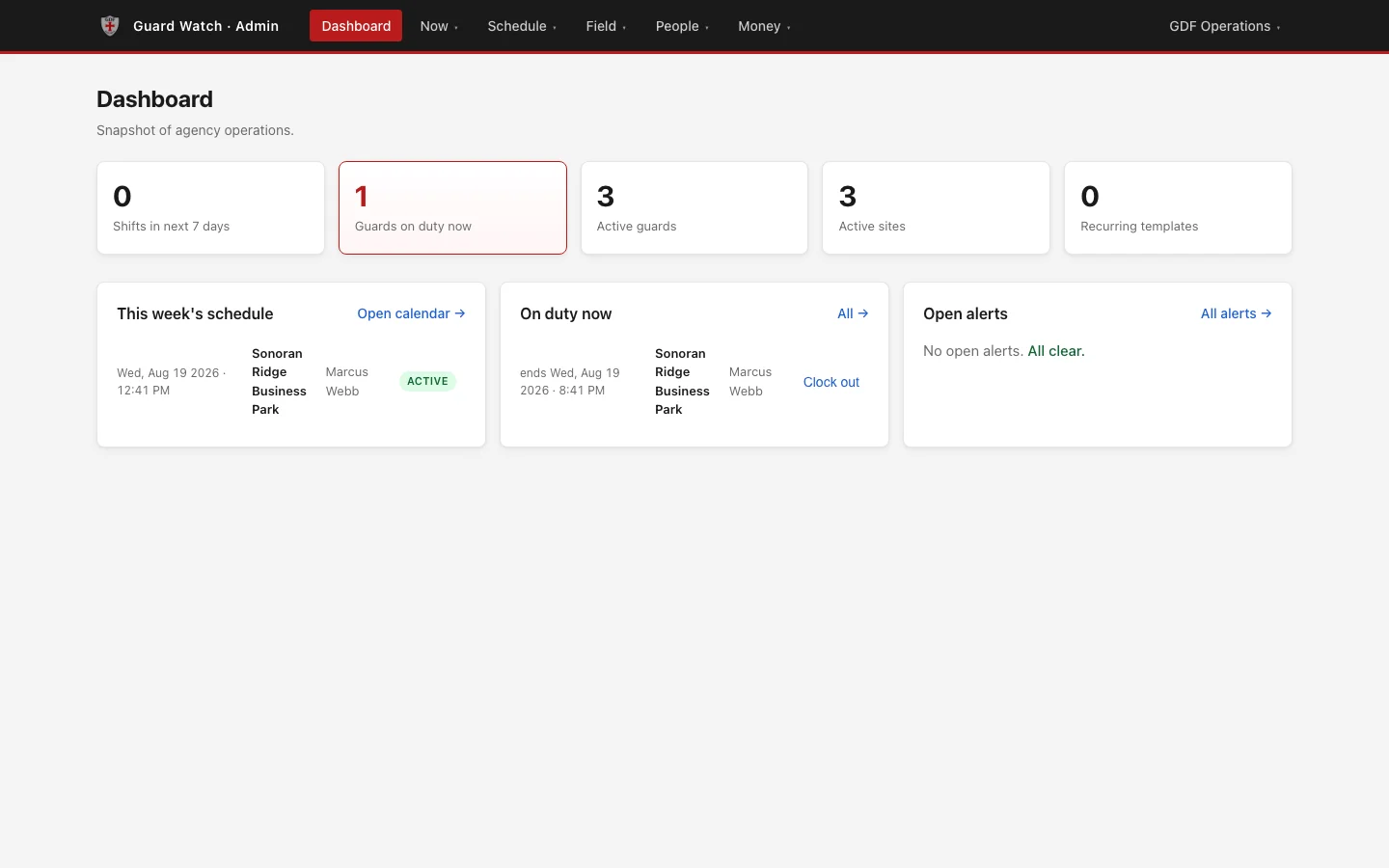
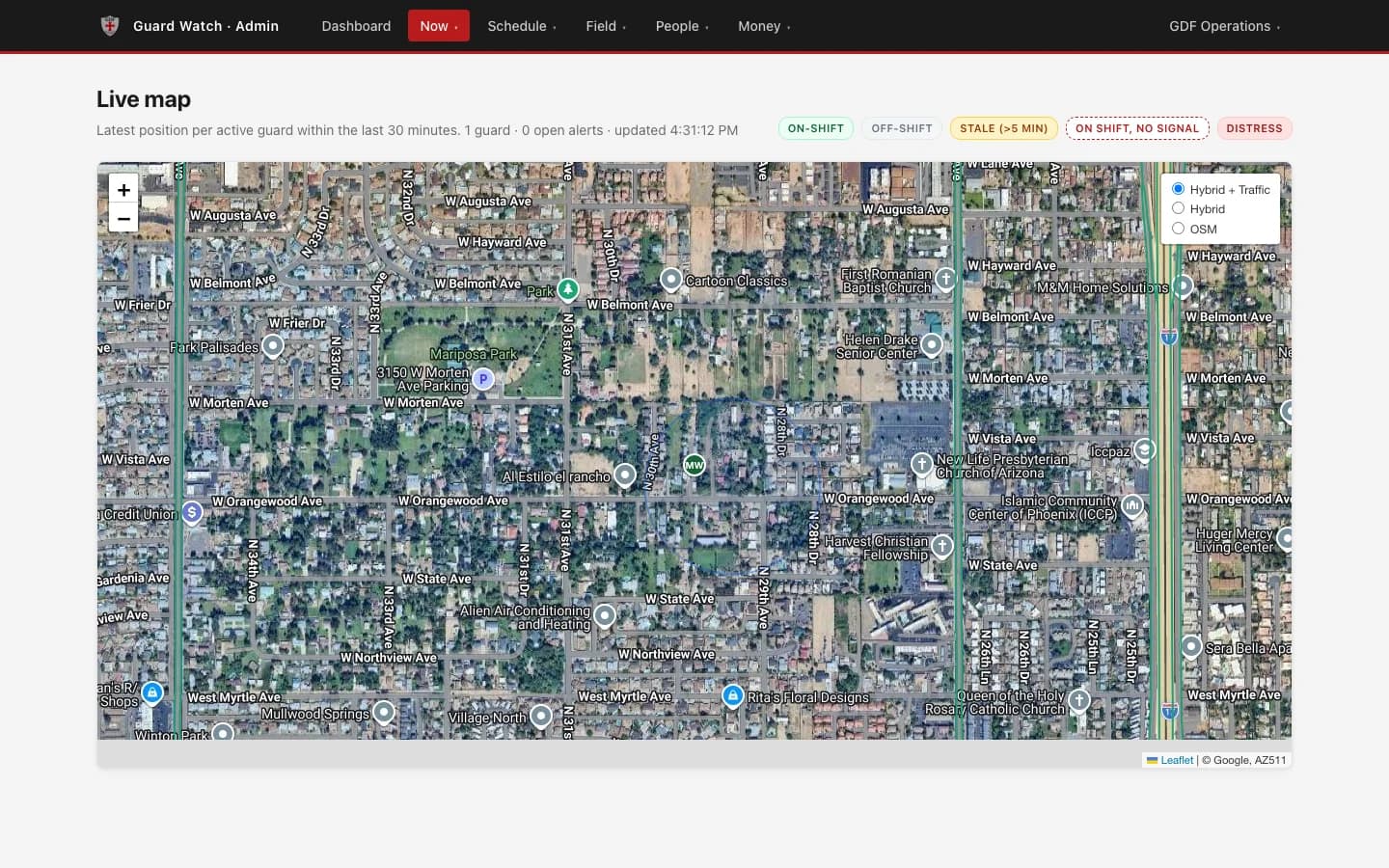
The client portal you get on day one, and the dispatch view our staff run the agency from.
Opens the real portal with nothing to sign in to. The properties, officers, and reports inside are a demonstration built from example data — not GDF clients.
Why it stands out
Most security companies leave you guessing. Our platform documents every shift, every patrol, and every incident — and puts it all in your hands automatically.
Watch your guards on a live map, see who is on shift right now, and review recent activity at every property you own — no phone tag required.
Watch your on-duty officer's bodycam live from the app or the portal — and go back to any previously recorded bodycam video whenever you need it.
Officers can only clock in once they are physically on your property, and GPS-spoofing apps are automatically blocked. No padded timesheets. Ever.
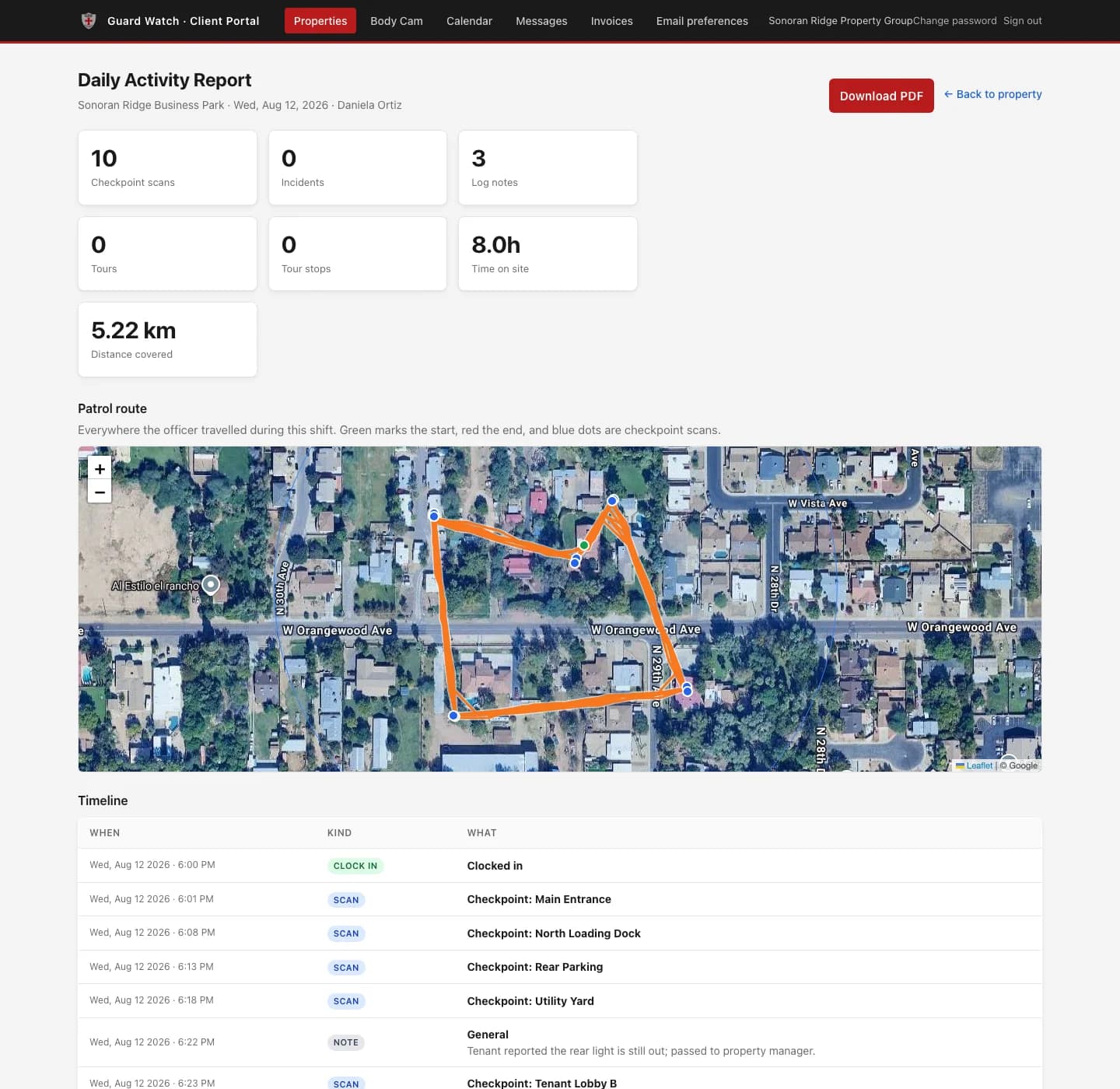
Every shift is compiled into a Daily Activity Report — clock times, patrol notes, checkpoint scans, incidents, and photos — delivered automatically and downloadable as a PDF.
Guards file incidents from the field with photo, video, and audio evidence attached. Urgent incidents push a notification straight to your phone.
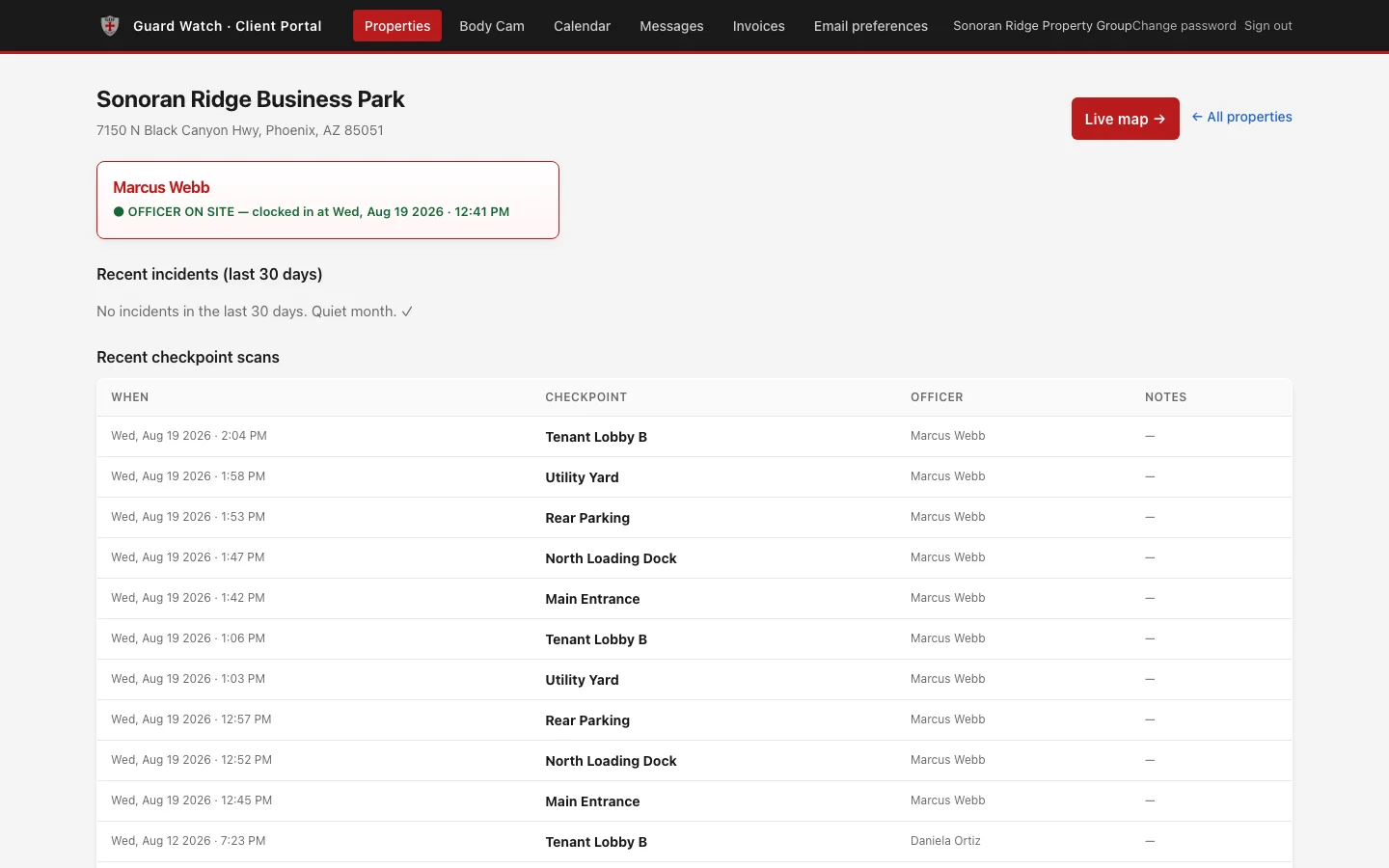
Checkpoints throughout your property are scanned with time and location recorded — proof that every round actually happened, stop by stop.
Drop a pin on your property map and the on-duty guard is notified instantly — or message guards and HQ directly through the portal.
Every photo and video — incident media and bodycam recordings alike — is uploaded and stored in your client portal, ready to view or download anytime.
What you actually get
From the moment an officer steps onto your property to the report in your inbox the next morning.
Clock-in only succeeds inside your property's geofence. You see the shift go green on your dashboard the moment it starts.
Each checkpoint is scanned with a timestamp and GPS fix. You can see the route walked and how long it took.
The officer files an incident from the field with photos, video, or audio attached. Urgent items alert you right away instead of waiting for morning.
Clock-out, patrol notes, scans, and incidents compile into a Daily Activity Report and land in your portal automatically.
Every checkpoint scan, every note, every incident, and a GPS map of the route the officer actually walked — compiled automatically and in your inbox the next morning. This is a genuine report generated by the platform, using example data from a demonstration property.
View a sample report (PDF)Two tools, one platform
For property owners
Your window into every shift: live map, coverage calendar, reports, incidents, messaging, invoices, and per-site notification preferences — on any device, and installable to your home screen like an app.
On every officer's phone
Bodycam streaming, always-on GPS, offline site maps, tasks and inspections, certification tracking, and timed lone-worker check-ins that alert HQ if an officer stops responding.
We will walk the site with you, show you the portal live, and put together a tailored coverage proposal — no obligation.
or email contact@gdfsecurityservices.com